Skip to the moment it’s said
Missed the stream? Remember a line but not when it was said? Type what you remember, and SkipTo jumps the video right there. On YouTube and Kick.
Add to Chrome, it’s free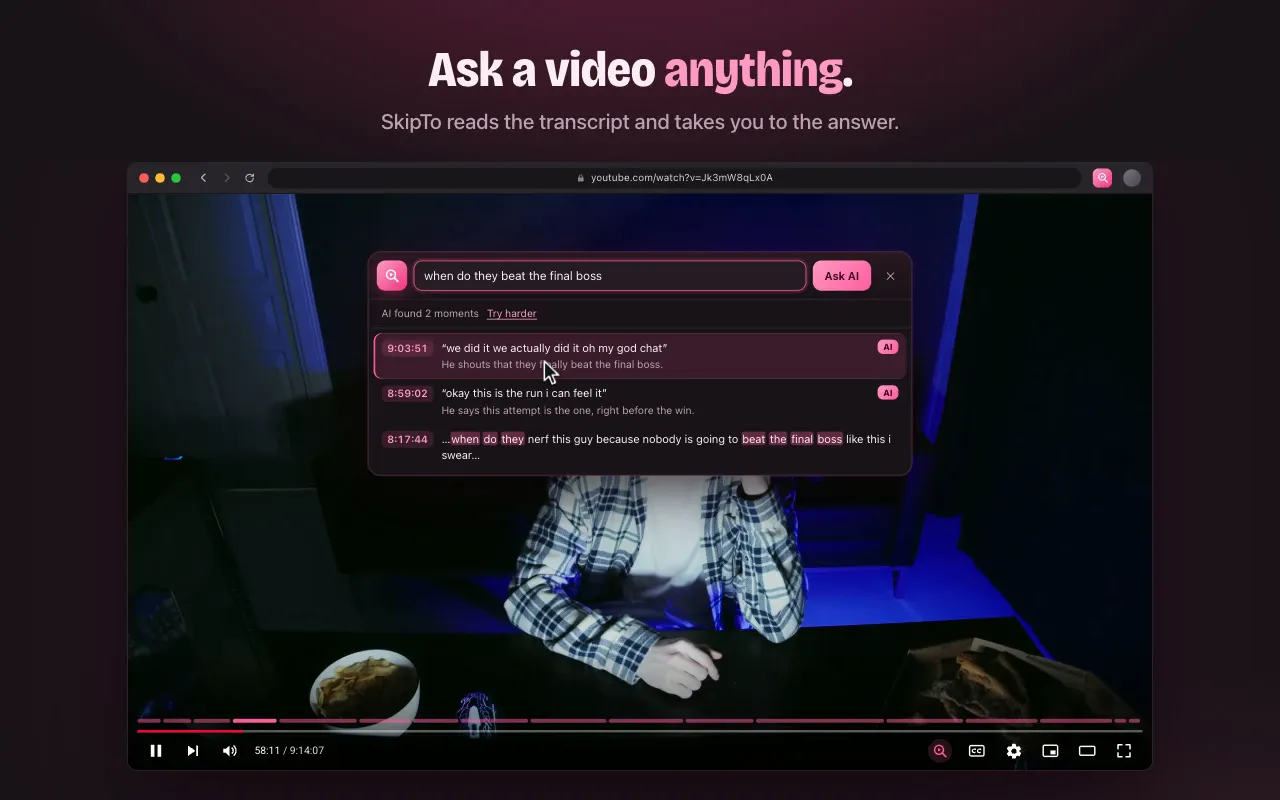
What it does
Every hour of video, searchable
Find any moment
Type a word, a name or a line you remember. Matching moments show up as you type, with their time. Click one and the player jumps there.
Ask in your own words
Don’t remember the exact words? Describe it, like “when do they beat the final boss”, press Enter, and get the moments that match.
Catch up by section
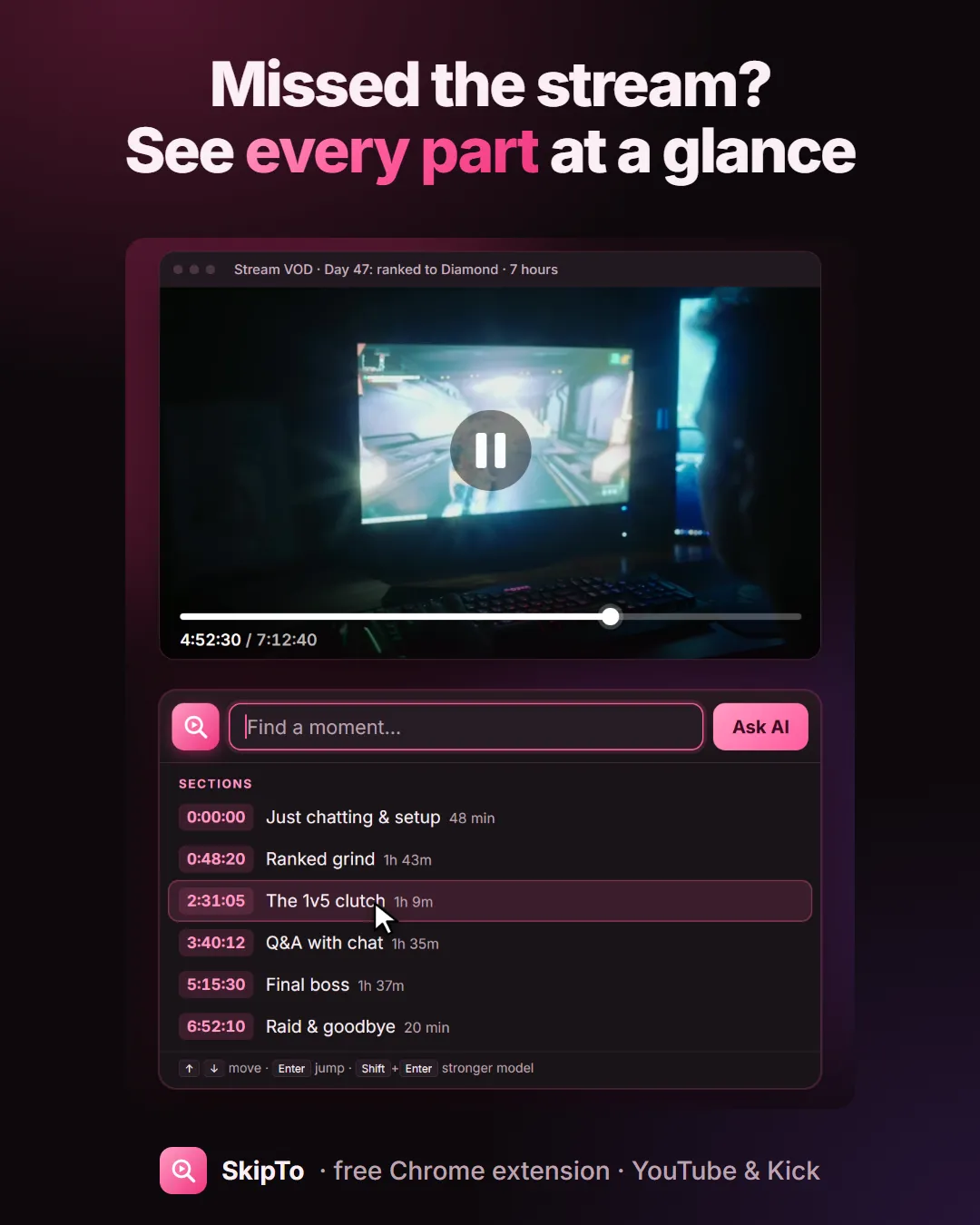
Long videos and multi-hour VODs are divided into sections with titles, shown on the timeline. See what happened, click the part you want.
Skip sponsor reads
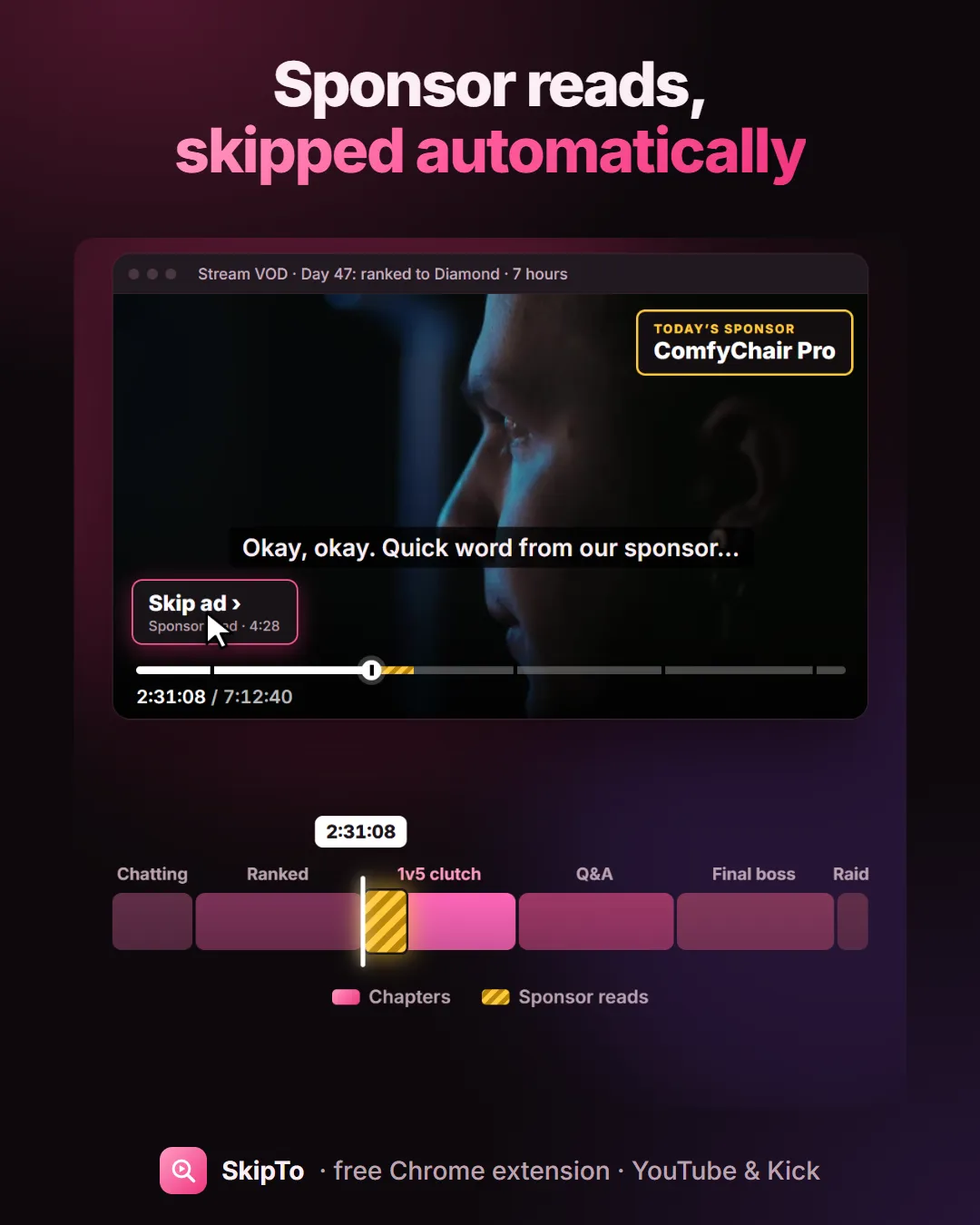
On YouTube, sponsor segments are marked on the timeline. Hit Skip, or let SkipTo skip them for you after a short countdown.
See it in action
A three-hour podcast. One quote. Two seconds.
Open the video, click the pink magnifier in the player, type what you remember. That’s it.
Missed the stream?
See every part of a 7-hour VOD at a glance
SkipTo divides long videos into sections: the chatting, the ranked grind, the clutch, the Q&A, the raid. Open the box with an empty search to see the list, or hover the pink marks above the progress bar. Videos that already have chapters keep theirs.
On YouTube
Sponsor reads, skipped
Paid sponsor segments are marked with stripes on the timeline. A Skip ad button appears while one plays, and Auto-skip ads skips them by itself after a 5-second countdown you can cancel.
How it works
Three steps, no account
- Add SkipTo to your browser from the Chrome Web Store. It works in Chrome, Edge, Brave and Arc.
- Open a YouTube video or a Kick VOD and click the pink magnifier in the player (or press Ctrl+Shift+K, ⌘+Shift+K on a Mac).
- Type what you remember, or describe the moment and press Enter. Click a result and the video jumps there.
Guides
What people use SkipTo for
Search inside a YouTube video
Type a word or a line you remember and jump to the exact second it was said.
Read the guide →Find a moment in a stream VOD
Missed the stream? Catch up by section, or type what you remember from it.
Read the guide →Chapters for Kick VODs
Long Kick VODs get sections on the timeline, so you can see what happened when.
Read the guide →Skip sponsor reads on YouTube
Sponsor segments are marked on the timeline, with a Skip button or auto-skip.
Read the guide →Find a quote in a podcast
Three-hour episode, one line you half remember. Type it and jump there.
Read the guide →Questions
FAQ
Is SkipTo free?
Yes. SkipTo is free, with no account and no ads.
Which sites does it work on?
YouTube videos (including podcasts, lectures and stream VODs uploaded to YouTube) and Kick VODs. Twitch is not supported yet.
Which browsers?
Google Chrome, Microsoft Edge, Brave and Arc on a computer. It is installed from the Chrome Web Store and updates by itself.
Does it need captions?
Yes: SkipTo searches what is said, using the video’s captions. On YouTube, automatic captions work too. On Kick, streams have captions from about 10 November 2026 onward.
Do I need to remember the exact words?
No. Type the words you remember to see matching lines as you type, or describe the moment (“when they finally win”) and press Enter.
Stop scrubbing. Skip to the moment.
Free for Chrome, Edge, Brave and Arc on desktop. Works on YouTube and Kick.
Add to Chrome, it’s free