SkipTo › Find a quote in a podcast
Find a quote in a podcast episode
Video podcasts run two, three, four hours. You want the one line you heard on your commute. Here is how to get back to it without listening to the whole episode again.
Add to Chrome, it’s freeType the line you remember
Most video podcasts are on YouTube, with captions. Open the episode, click the pink magnifier in the player and type a few words of the quote. Every place they are said shows up with its time. Click to jump, and the episode plays from there.
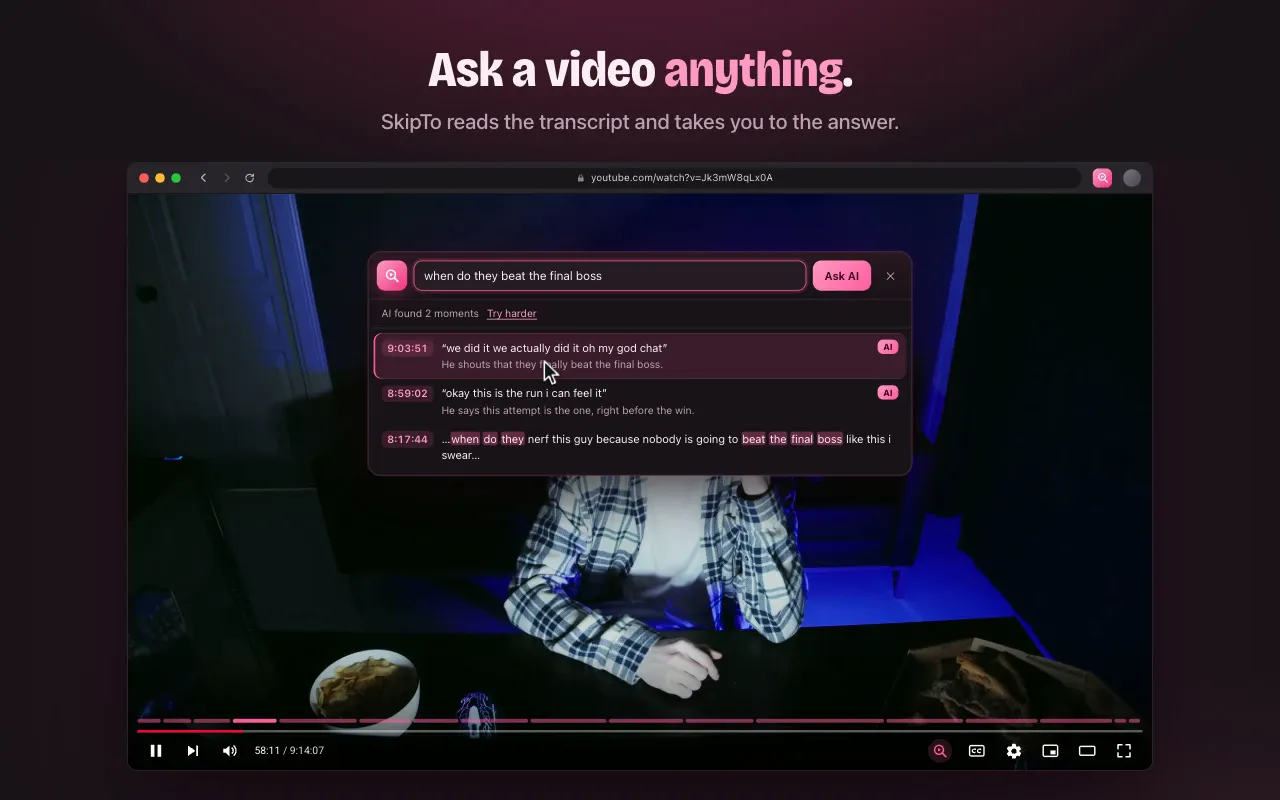
Only remember what it was about?
Describe it: “when does he talk about selling his bitcoin”, “the story about the hotel”, “what did the guest say about sleep”. Press Enter and SkipTo lists the moments that answer it, each with the words that were said.
Browse a long episode by topic
Long episodes are divided into sections with titles, shown on the timeline and in the SkipTo box. It’s a quick way to see what an episode covers and jump to the part you want. Episodes that already have chapters keep theirs.
And the ad reads
Podcast sponsor segments are marked on the timeline, with a Skip button. Turn on auto-skip to never sit through them again: skipping sponsors on YouTube.
Questions
How do I find a specific part of a podcast?
If the podcast is on YouTube, install SkipTo, open the episode and type a few words you remember. Click a result to jump to that moment.
Do I need the exact quote?
No. Type a few words for matching lines, or describe the moment in your own words and press Enter.
Does it work for audio-only podcast apps?
No. SkipTo works on YouTube and Kick in the browser, where most video podcasts are published.
Find the quote. Skip the rest.
Free for Chrome, Edge, Brave and Arc on desktop.
Add to Chrome, it’s freeMore guides
Search inside a YouTube video
Type a word or a line you remember and jump to the exact second it was said.
Find a moment in a stream VOD
Missed the stream? Catch up by section, or type what you remember from it.
Chapters for Kick VODs
Long Kick VODs get sections on the timeline, so you can see what happened when.
Skip sponsor reads on YouTube
Sponsor segments are marked on the timeline, with a Skip button or auto-skip.