SkipTo › Skip sponsor reads on YouTube
Skip sponsor reads on YouTube
“But first, a word from today’s sponsor.” SkipTo spots those segments, marks them on the timeline and lets you skip them in one click, or automatically.
Add to Chrome, it’s freeHow it works
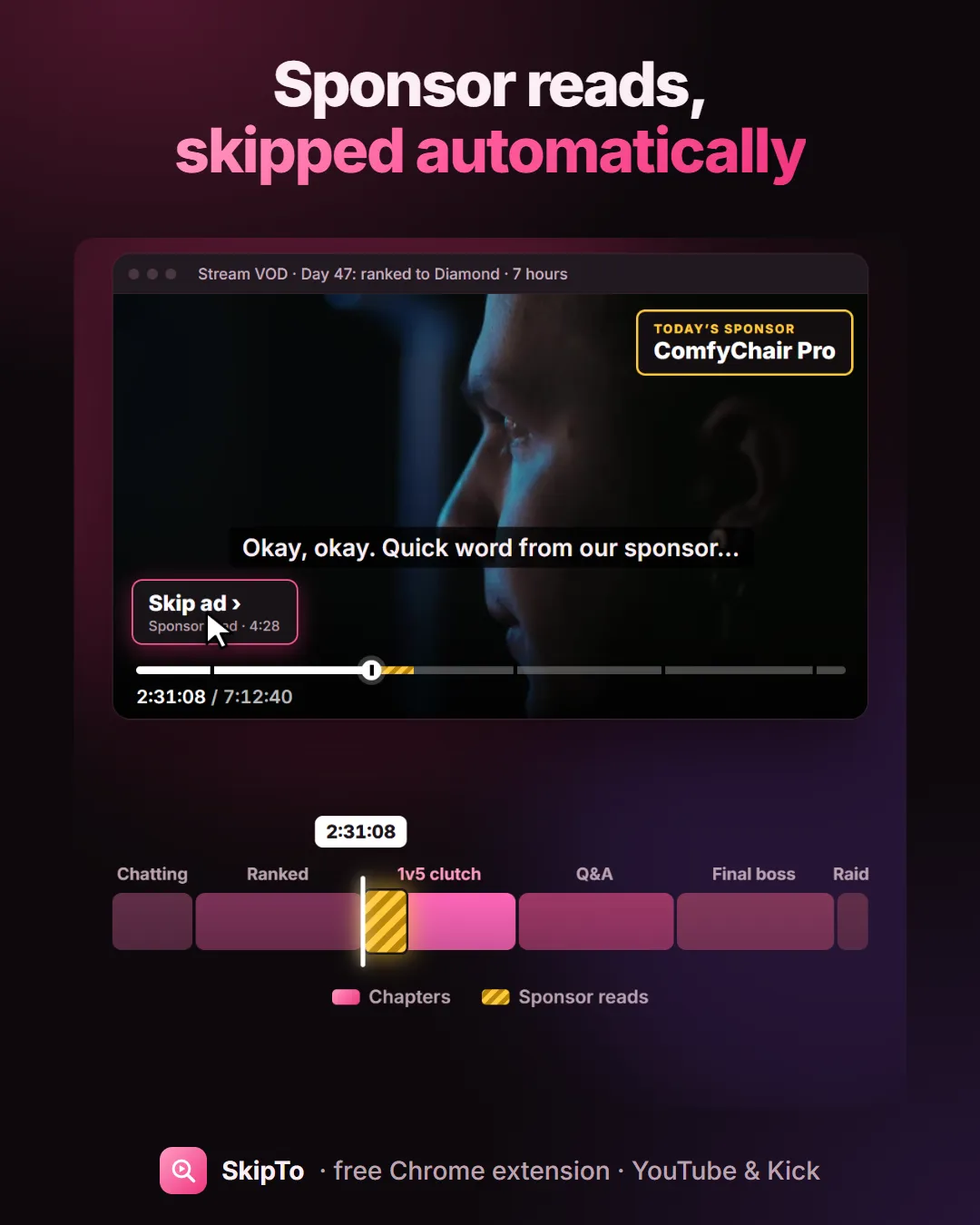
- Open a YouTube video. Sponsor reads show as striped marks on the timeline.
- When one starts, a Skip ad button appears at the bottom left of the player. Click it to jump to the end of the read.
- Prefer not to click? Turn on Auto-skip ads in the SkipTo box. Sponsor reads are skipped after a 5-second countdown that you can cancel, and the countdown only runs while the video plays.
What counts as a sponsor read
The segments where the creator reads a paid message inside the video: “this video is sponsored by…”, a discount code, an app promotion. SkipTo finds them from what is said, checks that the start and the end are really in the video’s captions, and leaves out anything that doesn’t look like a plausible sponsor segment.
What it doesn’t do
- It doesn’t block YouTube’s own ads (the ones before or during the video with YouTube’s skip button). Those are separate.
- It only skips segments it is confident about, and you can always rewind.
Sponsor skipping is one part of SkipTo: it also lets you search inside the video and see long videos divided into sections.
Questions
How do I skip sponsors on YouTube automatically?
Install SkipTo, open the SkipTo box on any video and turn on Auto-skip ads. Sponsor reads are then skipped after a short countdown you can cancel.
Does it skip YouTube ads?
No. SkipTo skips sponsor reads inside the video, not the ads YouTube plays before or during it.
Does sponsor skipping work on Kick?
Not today: sponsor reads are marked on YouTube. On Kick, SkipTo adds sections and search.
More guides
Search inside a YouTube video
Type a word or a line you remember and jump to the exact second it was said.
Find a moment in a stream VOD
Missed the stream? Catch up by section, or type what you remember from it.
Chapters for Kick VODs
Long Kick VODs get sections on the timeline, so you can see what happened when.
Find a quote in a podcast
Three-hour episode, one line you half remember. Type it and jump there.