SkipTo › Find a moment in a stream VOD
Find a moment in a stream VOD, without scrubbing
Streams last hours. The moment everyone is talking about lasts thirty seconds. Here is how to find it, or catch up on the whole thing, fast.
Add to Chrome, it’s freeMissed the stream? Start with the sections
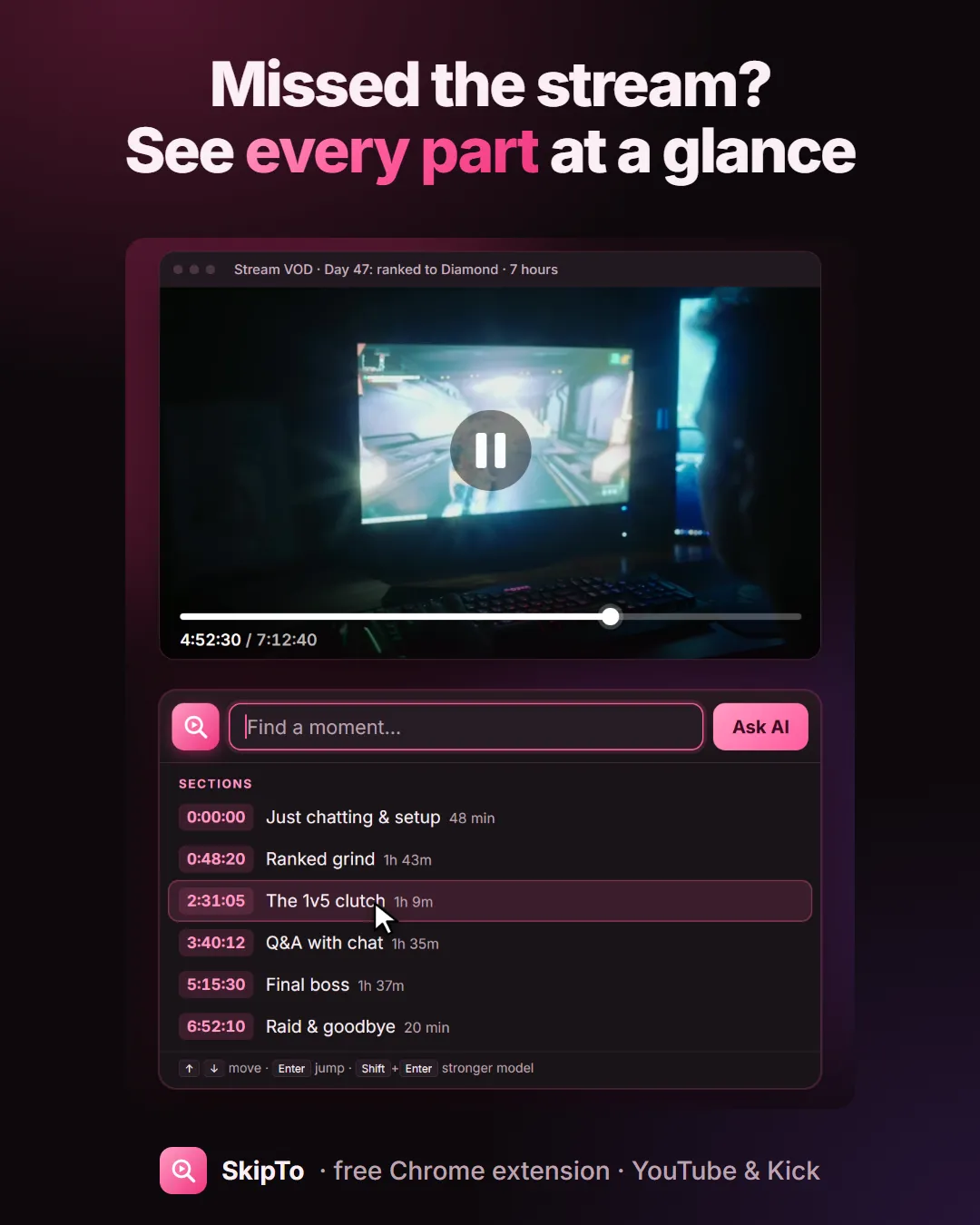
When you open a long VOD, SkipTo divides it into sections with titles: “Just chatting”, “Ranked grind”, “The 1v5 clutch”, “Q&A with chat”, “Raid and goodbye”. They show as pink marks above the progress bar. Hover one to read it, click to jump. Open the SkipTo box with nothing typed to see the whole list with the length of each part.
Remember the moment? Type it
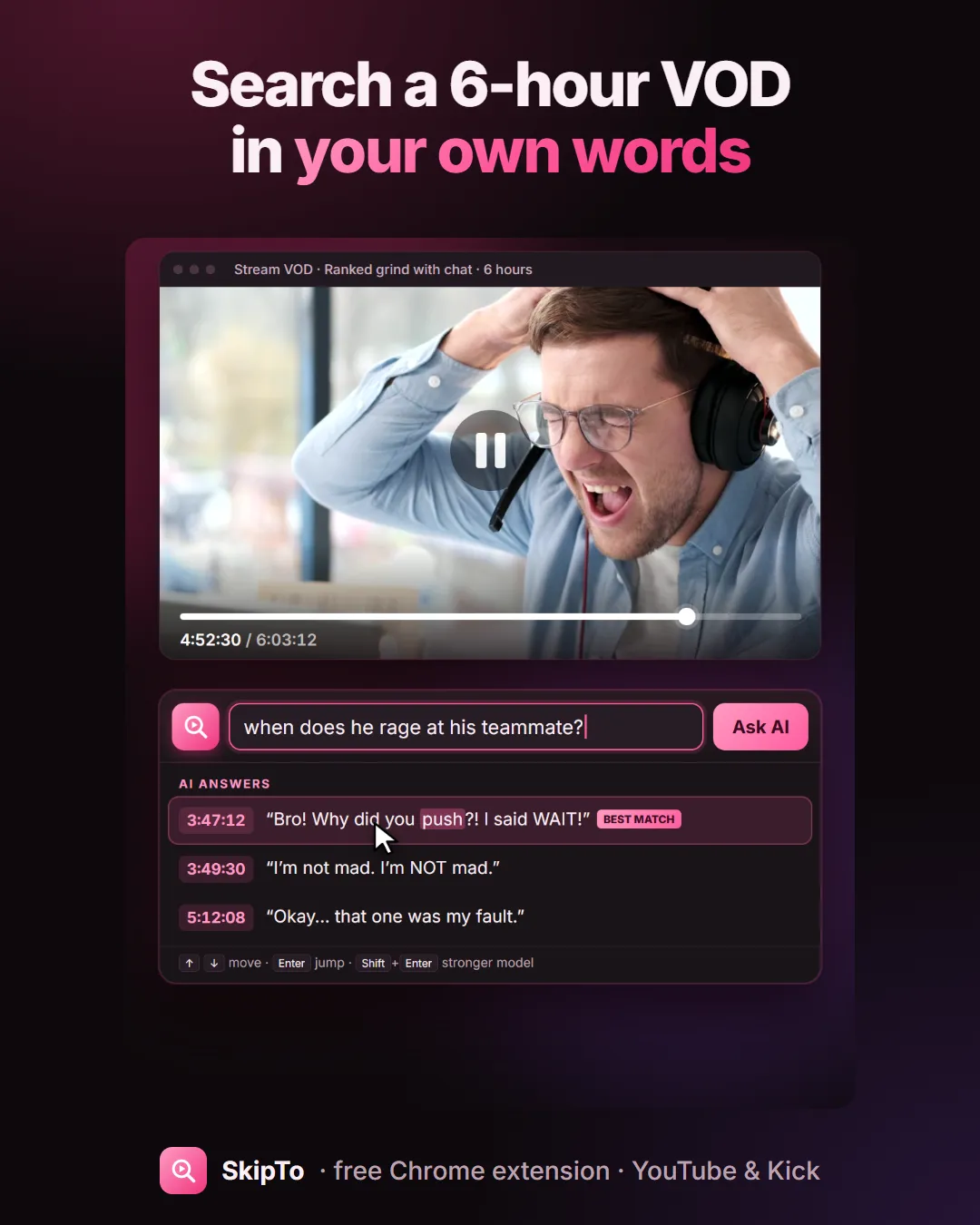
Chat clipped something, a friend sent “did you see when he…”, but nobody posted a timestamp. Type what you remember:
- a line from the stream: “I said WAIT”;
- a name, a game, a guest: “donation from”, “the boss fight”;
- or a description: “when does he rage at his teammate?”, then Enter.
Each result shows its time and what was said. Click it and the VOD jumps there.
Which VODs work
- YouTube: stream replays and uploaded VODs with captions (automatic captions included).
- Kick: VODs with captions, which Kick generates for streams from about 10 November 2026 onward. See chapters for Kick VODs.
- Twitch: not supported yet, because Twitch VODs have no caption track.
Questions
How do I find a specific moment in a VOD?
Open the VOD with SkipTo installed, click the pink magnifier in the player and type what you remember, a word, a line or a description. Click a result to jump there.
How can I catch up on a stream I missed?
Open the VOD and look at the sections SkipTo adds to the timeline. Each one has a title, so you can watch the parts you care about and skip the rest.
Does SkipTo work on Twitch VODs?
Not yet. Today it works on YouTube and Kick.
Missed the stream? Skip to the good parts.
Free for Chrome, Edge, Brave and Arc. Works on YouTube and Kick VODs.
Add to Chrome, it’s freeMore guides
Search inside a YouTube video
Type a word or a line you remember and jump to the exact second it was said.
Chapters for Kick VODs
Long Kick VODs get sections on the timeline, so you can see what happened when.
Skip sponsor reads on YouTube
Sponsor segments are marked on the timeline, with a Skip button or auto-skip.
Find a quote in a podcast
Three-hour episode, one line you half remember. Type it and jump there.